Find and open an existing run
Use a saved name, tag or folder to locate a previous result. You need a complete run bundle in a location the Console server can read. Opening it verifies the bundle and displays its captured results; it does not start a solver or edit the original files.
Choose where to look
- Select Open existing run from Configure or Results.
- Choose a saved location. For another directory, select Add folder.
- Navigate through folders and breadcrumbs, then select Add this folder. The new location is remembered across Console restarts.
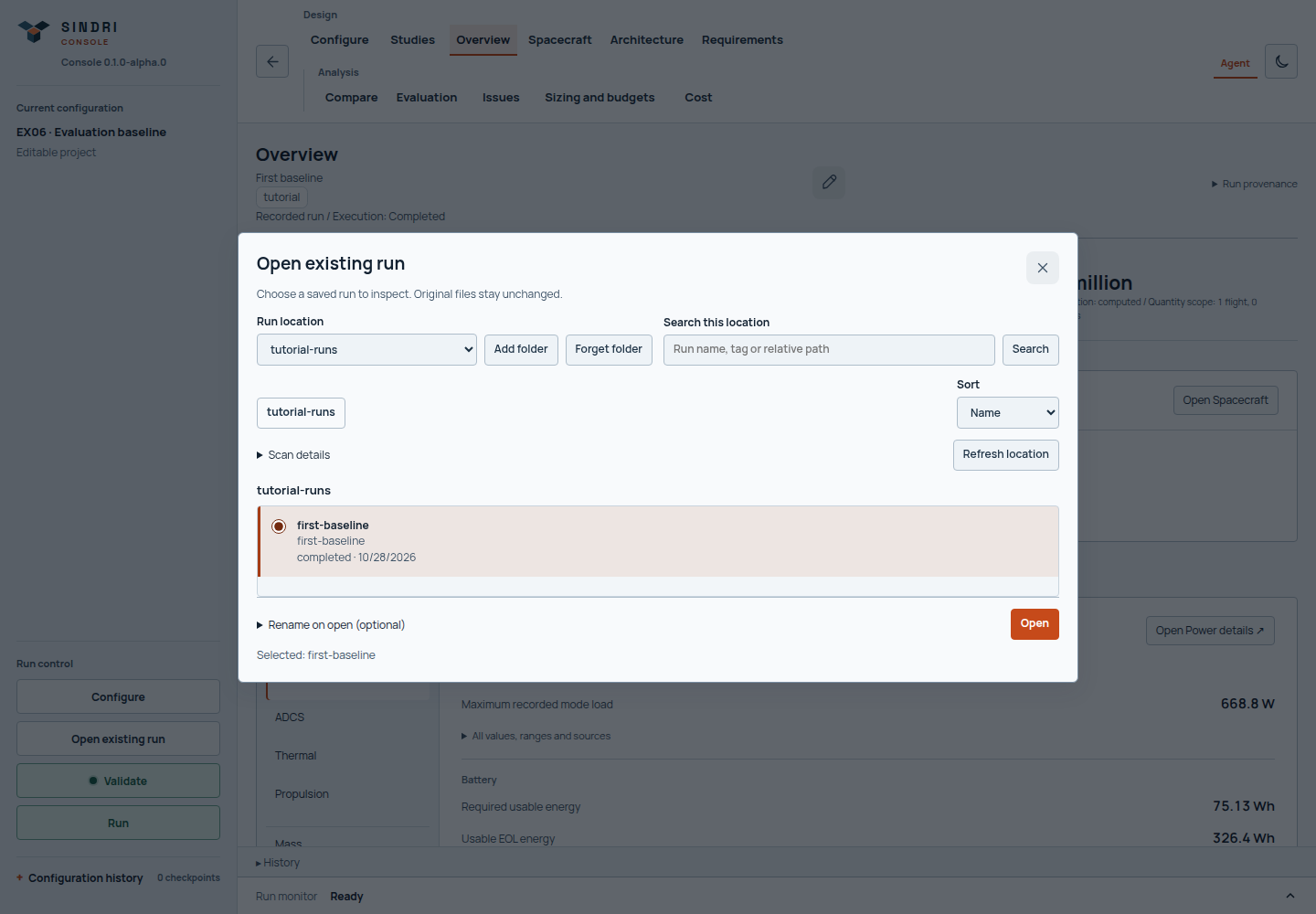
Search is scoped to the selected location. The selection summary helps distinguish runs with similar names before you open one.
The folder picker browses the machine running Console. A remote browser does not browse your laptop's filesystem. Local operator sessions can start at Home or Computer; remote sessions start from directories the server operator has made available. If no remote locations appear, ask the operator to configure the intended run directory. See server configuration.
Select the right result
Browse folders or search within the selected location using a run name, tag or relative path. Read the status, date and available context, then select the run and choose Open. A larger collection loads incrementally; use the displayed paging controls to continue. Incomplete search coverage is reported rather than presented as a complete absence of runs.
Use Rename on open (optional) for a helpful Console display name. Names and tags are local annotations; they do not rename the run folder or alter its engineering evidence. Scan details contains additional discovery diagnostics. An unavailable or incomplete bundle needs the displayed problem resolved before it can be opened.
Manage locations without deleting results
Forget folder removes a location you added from the picker. It does not delete files. Imported registrations and labels are retained, but files cannot be read through that location until you add it again. Server-configured locations are locked and cannot be forgotten here. A server allowlist change can also hide a previously saved location.
History is the quickest way back to the current project's recent launches and recent imports. Use the run browser for older or other-project bundles. After opening a run, interpret its results or compare it with another design. If the bundle fails an integrity check, preserve the original and obtain a complete compatible copy; do not edit its digests.