Reconnect, cancel or recover a run
When a calculation stops being visible, first establish whether the server is still working. Browser navigation, a disconnected tab and an interrupted worker are different situations. Keep the original run and its diagnostics.
Choose the next action
| Situation | Action | Expected outcome |
|---|---|---|
| Browser disconnected or reloaded | Reconnect and open the run from History or the monitor | The server's recorded state returns; a second run is unnecessary |
| Local edits are unauthorized after a restart | Open the new private launcher URL | The tab regains authorization for that server session |
| A stage is taking a long time | Inspect activity, stage progress and recorded logs | You can distinguish ongoing work from a connection or execution problem |
| You want to stop an active run | Choose Cancel run and wait | The worker acknowledges the cooperative request and records its terminal state |
| Console reports an interrupted run | Inspect the notice and explicit recovery action | Eligible recovery is offered; an incompatibility has an actionable reason |
| Run failed or was cancelled | Read Issues/logs, correct the project and launch a new run | The original terminal record remains intact |
| The workspace store cannot open | Preserve it and contact the server operator | The operator follows the separate store recovery procedure |
Resume eligible interrupted work
- Open the Runs notice flag or the affected run in the monitor.
- Read the recovery check. Do not assume that an old heartbeat means a live same-host worker can be replaced.
- Choose Resume saved run in the notice or Resume run in the monitor when offered. Finish publishing results instead completes publication of already committed computation; it does not repeat the calculation. Recovery is explicit; reconnecting does not automatically restart a solver.
- Follow the resumed work in the monitor, then inspect its terminal results and any new diagnostics.
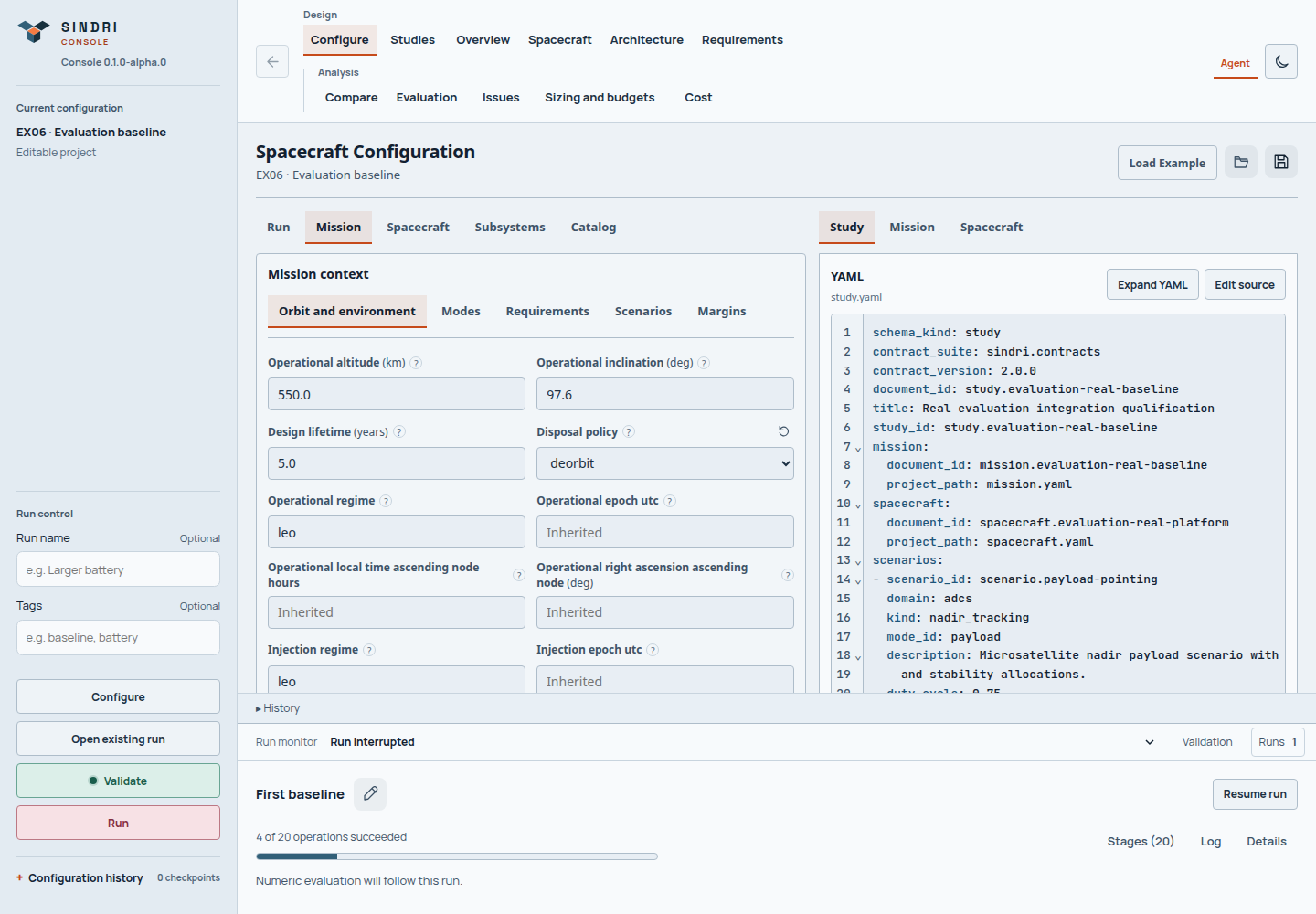
Recovery is conditional on the captured inputs, runtime/resources and safe-point compatibility. A refusal preserves the run for inspection.
Recovery requires a compatible interrupted running format-2 bundle and eligible lease/checkpoints. Changed resources, application/executors, seed, graph, checkpoint schemas or relevant tools can prevent it. A cancellation request can also prevent recovery. Do not delete control files, change digests or displace a live worker to force Resume.
A failed or cancelled terminal run is not resumed in place. The CLI resume and replay guide distinguishes recovering interrupted work from creating a fresh replay of a terminal snapshot.
Restore a workspace after an upgrade problem
Run recovery repairs an eligible execution; it does not restore the Console workspace database. If startup reports a store/migration problem, stop and use Console store recovery with the server operator. Preserve the complete state directory, including journal files, before restoring anything. An older backup can omit later names, tags and saved work.
For a support handoff, record the run name, visible state, diagnostic, runtime version and intended action. Keep the complete run bundle and relevant workspace backup; share credentials only through your established secure support process.